Free
Think out loud. Send it like you wrote it.
Say “lunch at noon, um, actually 12:30,” and your text says 12:30. SpeechDone starts cleaning up while you pause for breath, so what lands in the text box is ready to send.
For iPhone and iPad. Start free.


Your original words stay in History.
See the before and afterNobody likes thumb-typing a real reply. So it waits until you’re back at your desk.
A voice memo just hands the work to the person on the other end.
With SpeechDone you say the reply now, and it still reads like you typed it.
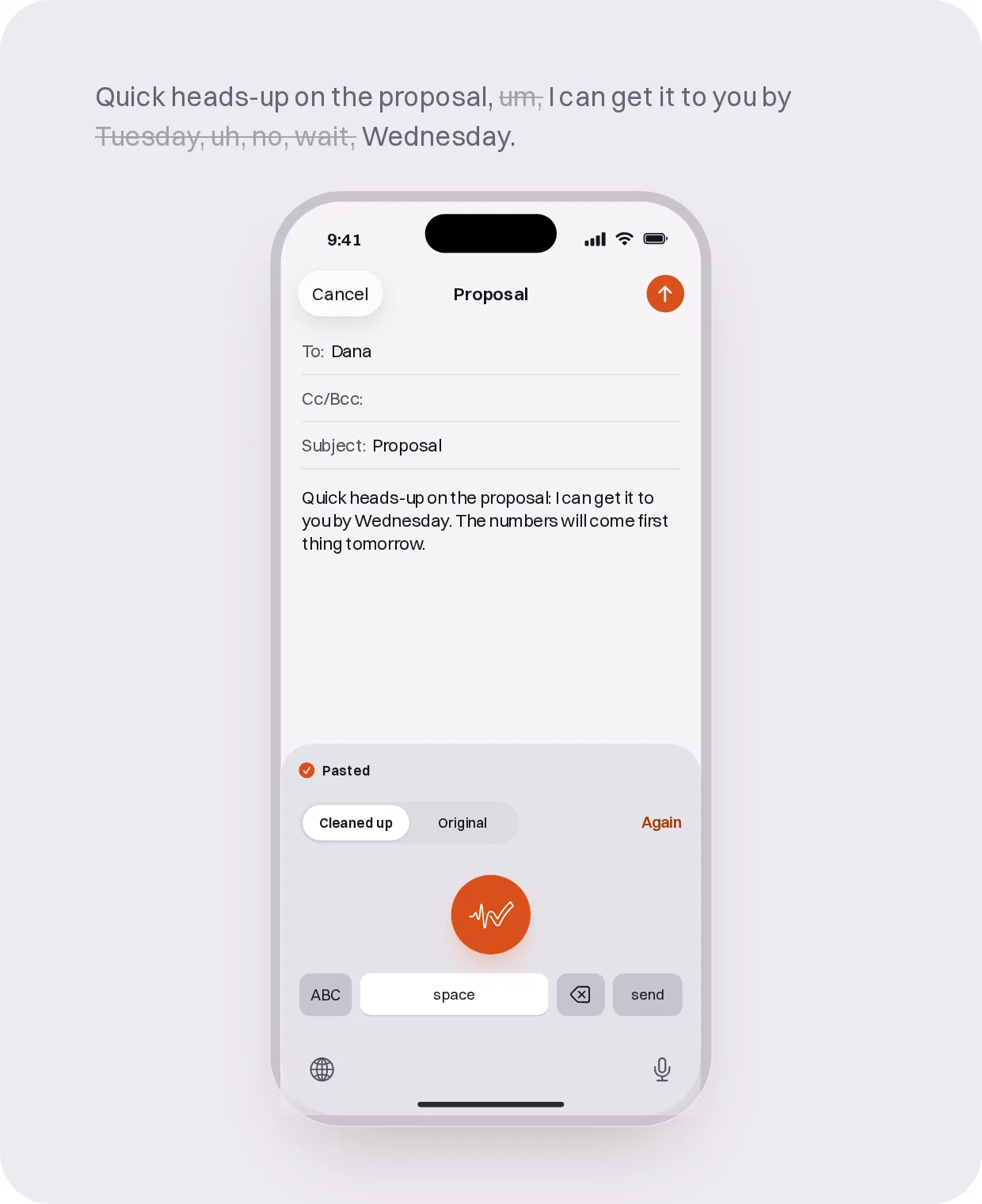
Spoken: Quick heads-up on the proposal, um, I can get it to you by Tuesday, uh, no, wait, Wednesday. The numbers, like, those’ll come first thing tomorrow.. Pasted: Quick heads-up on the proposal: I can get it to you by Wednesday. The numbers will come first thing tomorrow.
Before and after
You said this. The text box got this.
Spoken
Pasted
A real dictation from the app. We didn’t touch the output.
1 · Talk freely
Reply to your boss between meetings. Leave the ums in the hallway.
Your boss needs an answer by three, and you’re already walking to the next room.
So you talk it through, false starts and all. SpeechDone starts cleaning up in every pause, and when you tap stop, it drops into your draft.
Punctuation in. Ums out.
2 · Right tone
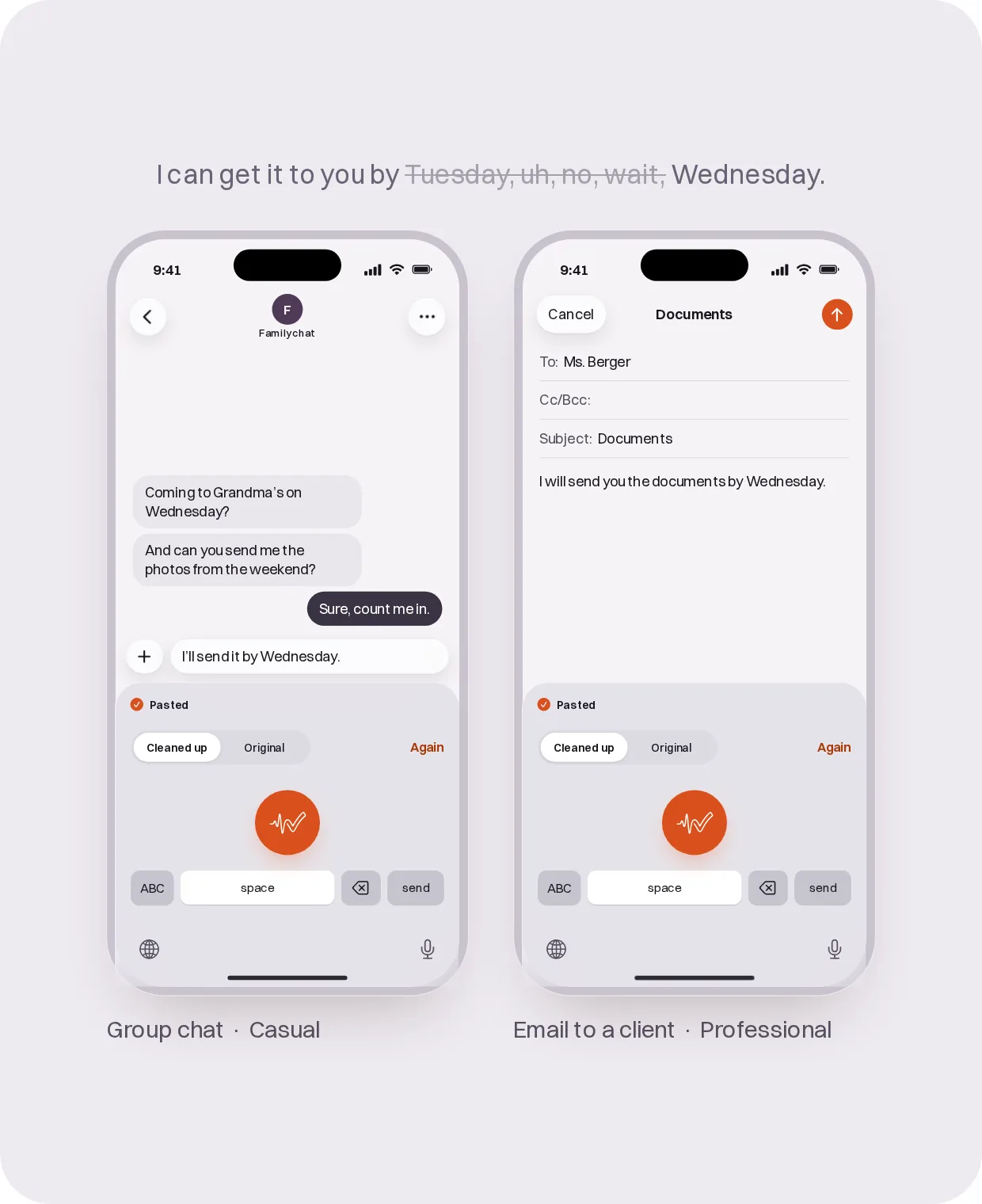
Text the group chat while you cook. It sounds like a text, not a memo.
One hand’s on the spoon, the other’s holding your phone, and the group chat wants to know who’s bringing dessert Sunday.
In the group chat, SpeechDone keeps it loose, the way you’d actually say it to your friends. An hour later the same voice comes out buttoned-up in an email to a client, because SpeechDone follows the app you’re typing in.
In AI apps your prompt stays word for word, with just the punctuation added.
Add names and jargon to your dictionary once, and SpeechDone keeps the spelling right.
3 · Still there
Dictate that long prompt on the subway. If the signal drops, your recording’s still there.
Two minutes of thinking out loud, then the train goes underground.
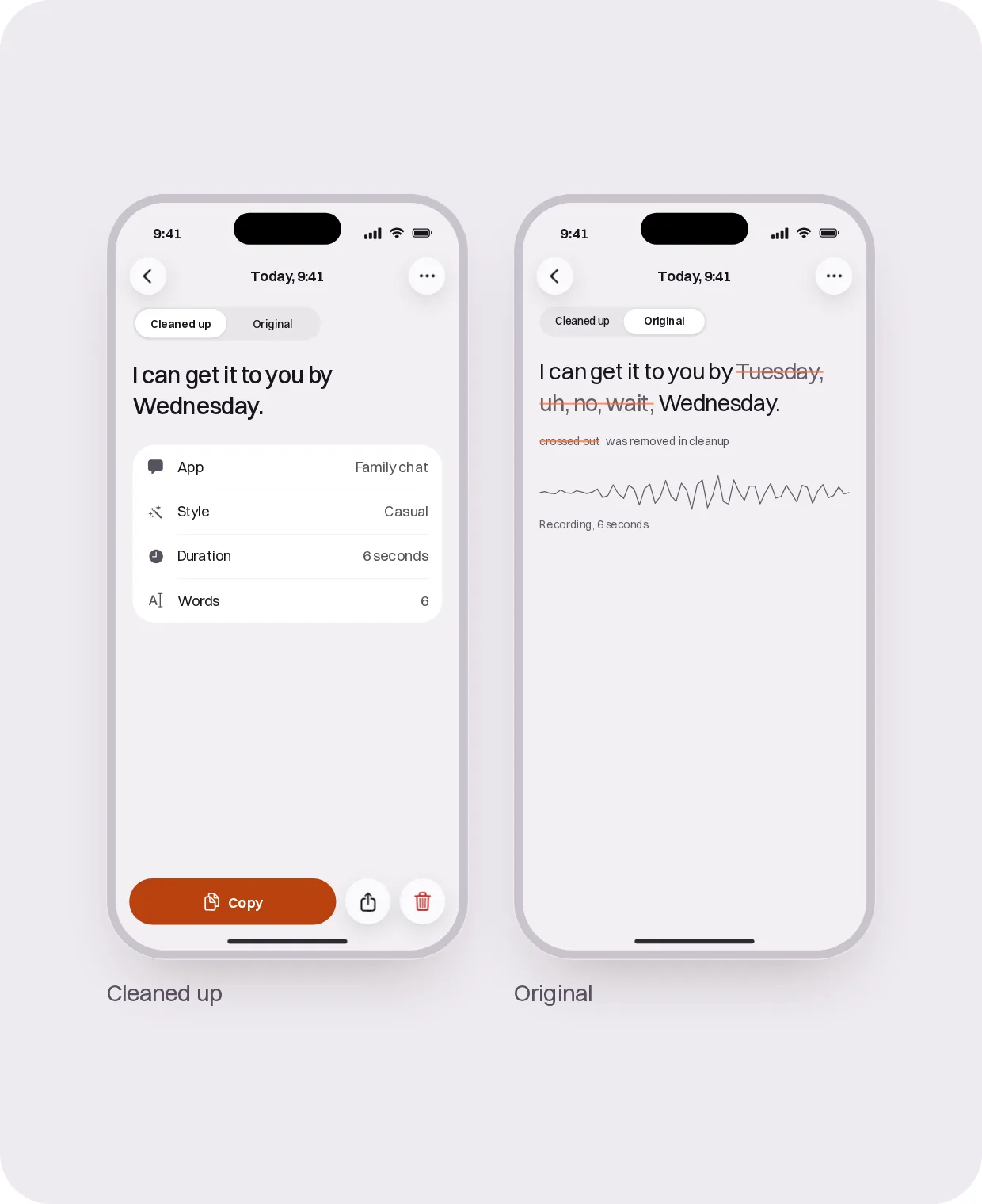
The moment you tap stop, the whole recording is saved on your iPhone. If it doesn’t get through, SpeechDone sends it again the next time you open the app.
Your original sits next to the polished version in History.
Built for iPhone, as an app and as its own keyboard.
It runs on iPad too, using the iPhone layout. Requires iOS 18 or later.
iPhone
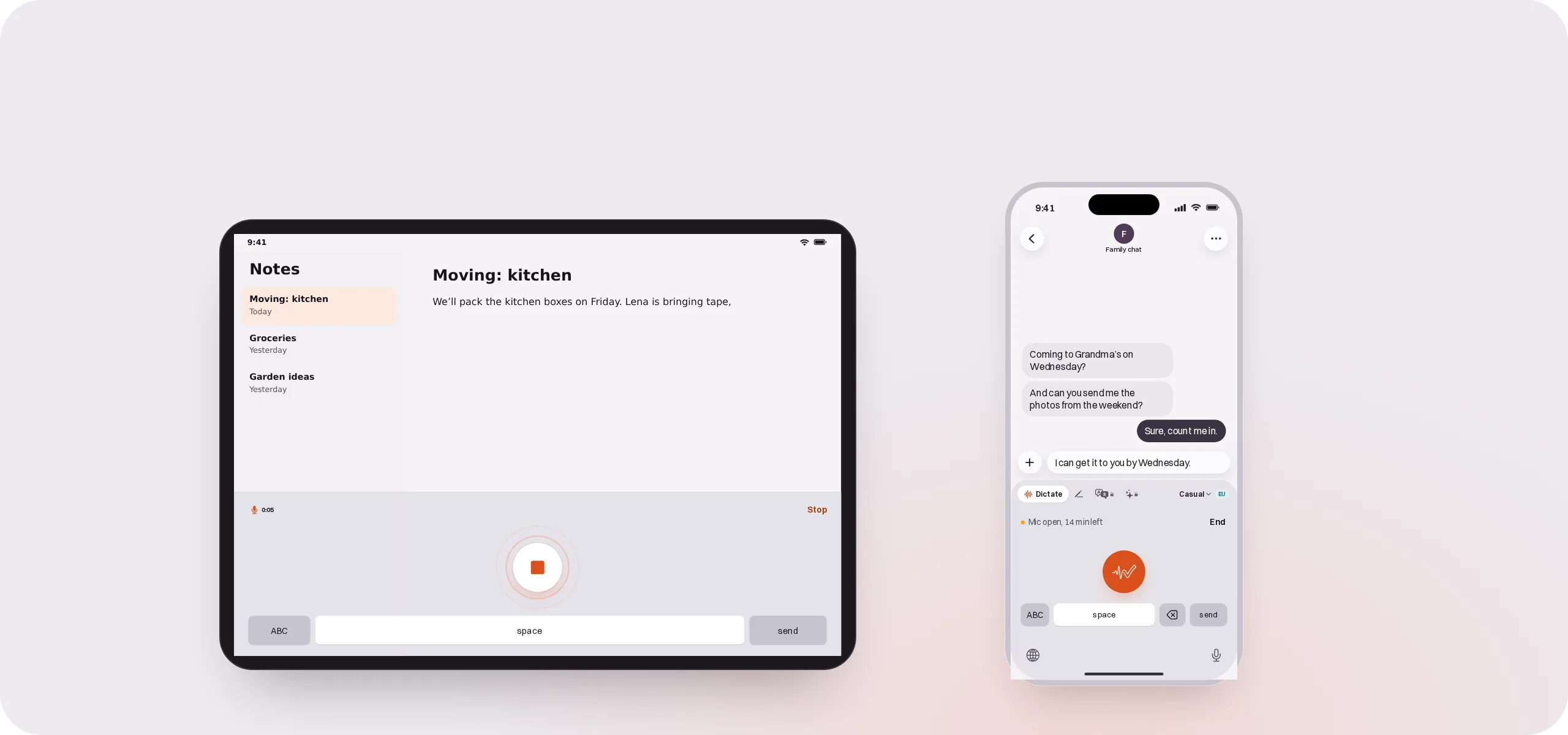
Its own keyboard in your apps, plus an app for longer writing.
iPad
The same keyboard, wide enough for two apps side by side.
How the keyboard works on iPhone
Apple doesn’t let keyboards use the microphone. So the first time you dictate, SpeechDone opens for a moment to record, then your text goes back into the field you started in.
After that, the mic stays open, 15 minutes by default, and you start your next dictations right from the keyboard. The top of your iPhone shows it’s open the whole time, and one tap ends it. Only what you say between start and stop is saved or sent.


Text in the field, mic stays open
Also included
Translate by voice · Ask by voice · Rewrite the text in a field by voice · Snippets that expand as you speak · Shortcuts and Siri · Widgets
Translate, Ask and Rewrite are part of Pro.
Where your voice goes
SpeechDone turns speech into text on servers, not on your iPhone. Here’s where each step happens, in plain words.
You talkyour iPhone
Transcriptionservers in the EU
Cleanup, Edit, Translate, Askservers in the EU
Your recent dictations, for your styleservers in the EU, up to 30 days, can be turned off
Historyyour private iCloud
If you choose the US
the same steps run on servers in the US
By default, every step runs in the EU. Prefer servers in the US? Switch it in the app. SpeechDone never moves there on its own.
We don’t keep your recordings after processing. To learn your style, our server keeps your recent dictations as text for up to 30 days, and you can turn that off. Your History lives in your private iCloud.
SpeechDone doesn’t read your screen. Knowing which app you’re in is enough for the tone. In Edit mode it reads the text in the current field, because that’s the text you asked it to rewrite.
Pricing
Start free. No limit stops you mid-thought.
Every plan records, transcribes and drops your text in, even past your weekly words. After that, your text comes through the way you said it, until your new week starts.
$0
1,500 words a week, about 200 a day
Cleanup, word-for-word and the right tone for each app
Starter
$2.99 a month
or $24.99 a year
6,000 words a week, about 850 a day
Cleanup, word-for-word and the right tone for each app
ProRecommended
$7.99 a month
or $59.99 a year, that’s about $5 a month

No weekly limit
All six styles to choose from · Rewrite, Translate and Ask by voice
Dictate more than 150,000 words in a month and cleanup slows down a little.
Pro
Recommended$7.99 a month
or $59.99 a year, that’s about $5 a month
No weekly limit
All six styles to choose from · Rewrite, Translate and Ask by voice
Dictate more than 150,000 words in a month and cleanup slows down a little.
Starter
6,000 words a week, about 850 a day
$2.99
a month
Free
1,500 words a week, about 200 a day
$0
Every plan
SpeechDone keyboard · History in your iCloud · Your original next to the polished version · Dictionary · Snippets
How the weekly limit works
At 80%, SpeechDone gives you a heads-up. Hit the limit and you keep dictating, just without the cleanup. When your new week starts, the cleanup’s back.
Subscriptions run through the App Store. Manage or cancel them in your iPhone Settings. Prices in US dollars, the App Store shows your local price.
Give your thumbs the afternoon off.
Get it for iPhone and iPad.

Consider it written.